Table of Contents
ToggleSetting up a home theater doesn’t mean you need a sprawling basement and a professional installer, not anymore. Sony home theater systems deliver cinematic sound and picture quality to fit various room sizes and budgets, making them a practical choice for homeowners serious about their entertainment setup. Whether you’re upgrading a living room or building out a dedicated media space, understanding Sony’s product options, key specs, and installation fundamentals helps you make an well-informed choice that matches your actual needs and space constraints.
Key Takeaways
- Sony home theater systems offer practical mid-to-premium components that prioritize standards compliance, straightforward calibration, and accessible support for DIY homeowners without forced proprietary locks.
- Choose between soundbars for simplicity and compact spaces, or modular full surround systems with discrete speakers for true multi-channel immersion and genuine surround panning.
- Focus on essential specs: RMS wattage (50+ watts for medium rooms), frequency response down to 20 Hz, HDMI connectivity, and room calibration features rather than marketing jargon.
- Match your Sony setup to room size—soundbars or 2.1 systems for small rooms under 150 sq ft, 5.1 systems for medium rooms, and 7.1 or Atmos setups for larger spaces over 300 sq ft.
- Successful DIY installation depends on proper speaker placement (using studs or rated anchors), receiver ventilation with 4-inch clearance, separate cable routing to avoid interference, and running auto-calibration to optimize sound quality in your specific room.
Why Choose Sony for Your Home Entertainment Setup
Sony has earned credibility in home audio and video through decades of manufacturing consumer electronics. Their home theater components, from surround receivers to subwoofers, consistently integrate solid build quality, straightforward calibration, and reasonable feature sets without unnecessary complexity.
What makes Sony practical for DIY homeowners is their commitment to standards compliance. Sony’s audio receivers support standard surround formats (Dolby Atmos, DTS:X), offer HDMI switching that’s reliable, and ship with readable setup menus. You won’t fight esoteric interfaces when connecting a Blu-ray player, gaming console, or streaming device.
They also back products with accessible support resources, manuals that actually explain things, plus YouTube walk-throughs covering common setup scenarios. For a homeowner tackling installation themselves, that transparency matters. Cost-wise, Sony gear sits in the mid-to-premium segment: you’re paying for engineering and support, not just a logo.
Finally, Sony’s ecosystem approach lets you mix and match components (receiver + speakers + subwoofer) without forced proprietary locks, giving you flexibility to upgrade one piece at a time as budget allows.
Understanding Sony’s Home Theater Product Lines
Sony organizes its home theater offerings into clear tiers: compact soundbars for casual listeners, mid-range all-in-one systems, and modular component-based setups for serious enthusiasts. Knowing which category fits your space and listening habits saves time and prevents buying overkill.
Soundbars vs. Full Surround Systems
A soundbar, a single, typically 30–55-inch speaker unit, handles left, center, right channels plus sometimes virtual surround simulation. Sony’s soundbars range from basic models (under $300) to high-end versions with built-in subwoofers and wireless rear speakers ($600–$1,000+). They’re ideal for apartments, smaller living rooms, or anyone who values simplicity over immersive surround sound.
Advantages: minimal setup, low cable clutter, no speaker stands or wall brackets needed, and they fit TV wall mounts cleanly.
Drawbacks: soundbars can’t reproduce true surround channels, they simulate them using speaker arrays and ceiling bounces. Serious movie fans and gamers often find them shallow for orchestral music or action sequences.
A full surround system pairs a receiver with discrete front left/center/right speakers, side or rear surrounds, and a subwoofer. Sony’s modular systems (like their ES or STR-series receivers paired with compatible speakers) deliver actual multi-channel audio: genuine surround panning, overhead height channels with Atmos, and bass impact you feel in your chest.
Advantages: true surround immersion, better stereo listening quality, room-filling sound, and the ability to add or upgrade speakers individually.
Drawbacks: more cables, speaker placement requirements, and professional or confident DIY installation is recommended. Reviews like those found on reputable home tech sites often highlight this tradeoff between convenience and performance.
Key Specs and Features to Compare Before Buying
Don’t get lost in marketing jargon: focus on specs that actually affect your listening experience.
Power Output (Watts RMS): A 50-watt receiver handles a medium bedroom fine: 100+ watts is better for open living spaces or if you like loud action movies. RMS (root mean square) watts are what matter, ignore peak or “dynamic” watts, which are marketing inflations.
Speaker Frequency Response: This tells you the lowest and highest tones the system reproduces. Look for 20 Hz to 20 kHz as a baseline. Anything lower than 40 Hz usually requires an external subwoofer to handle movie bass properly.
Surround Format Support: Dolby Digital 5.1 is the standard. Dolby Atmos and DTS:X add overhead height channels for immersive sound, worthwhile if your receiver and speakers support it and you have ceiling height to work with (8+ feet is practical).
HDMI and Connectivity: Count how many HDMI inputs you actually need (streaming device, game console, Blu-ray, cable box?). Look for HDCP 2.2 support if you plan 4K video passthrough. Wireless connectivity (Bluetooth, AirPlay, Chromecast) is now standard and convenient for music streaming.
Room Calibration: Sony’s Calibration Mic (included with many receivers) automatically adjusts speaker levels, delay, and EQ based on your room. This feature saves hours of manual tweaking and makes a tangible difference in sound quality.
When evaluating options, tech review publications often break down these specs clearly for different product categories, helping you compare apples to apples.
Room Size and Speaker Placement Considerations
Sound doesn’t care about your furniture layout, it bounces, reflects, and accumulates in corners. Before buying, measure your room and consider how it’s shaped.
Small Rooms (under 150 sq ft): A soundbar or compact 2.1 system (receiver + two front speakers + subwoofer) works fine. Surround channels in a tiny bedroom are overkill and can muddy the sound. Avoid corner placement for subwoofers here: it amplifies bass bloat.
Medium Rooms (150–300 sq ft): This is sweet territory for a 5.1 system. Position the center channel directly above or below your TV at ear level when seated. Left and right front speakers should flank the TV roughly 22–30 degrees off-axis from your listening position. Side surround speakers go 90–110 degrees to the sides at ear height or slightly above.
Large Rooms (300+ sq ft): Consider 7.1 (adding rear surrounds) or Atmos-capable setups if you have 9+ foot ceilings. Open floor plans need powerful receivers and subwoofers positioned carefully, one sub in a corner often creates dead zones: two subs, strategically placed, distribute bass more evenly.
Practical Setup Tips:
- Run speaker cables through walls only if you’re comfortable fishing wire (or hire an electrician). Surface-mounted cable raceways are cleaner than tape and look intentional.
- Subwoofer placement is trial-and-error: position it where you’ll sit, move it around the room listening to bass test tracks, and place it where bass sounds fullest and most even, usually not where aesthetics suggest.
- Acoustic treatment (soft furniture, curtains, rugs) helps absorb reflections. Bare concrete and tile rooms sound harsh: add furnishings before blaming the equipment.
- Cable Management: Use in-wall rated cables (CL2 or CL3) if running wires behind walls. Surface cables should be bundled neatly and hidden where possible.
Resources like practical DIY guides cover wiring best practices and room layout diagrams if you want deeper technical reference.
Installation and Setup Tips for DIY Enthusiasts
Sony home theater components are designed for confident homeowners to install, but success depends on prep work and patience.
Before You Start:
- Inventory all components and cables. Lay everything out before mounting or connecting anything.
- Check that your receiver’s power requirements match your wall outlet circuit capacity. Most receivers draw 500–800 watts normally: this is fine on a standard 15-amp circuit, but don’t daisy-chain with other high-draw devices.
- Locate studs in your walls if wall-mounting speakers. Use a stud finder (roughly $20) to avoid drywall anchors that can fail under speaker weight.
Speaker Mounting:
- Wall-mounted speakers need proper brackets and anchors rated for their weight. Drywall anchors (toggle bolts or heavy-duty molly bolts) can hold speakers under 15 lbs.: heavier speakers demand studs.
- Speaker stands (for bookshelf speakers) should be filled with sand or steel shot to dampen vibration and improve stability. A tall stand tipping over is a safety hazard and speaker damage.
- Subwoofers are heavy (40–80 lbs). Ensure the placement location, floor, furniture, or dedicated stand, won’t shift or cause tip-risk near kids or pets.
Receiver Placement & Ventilation:
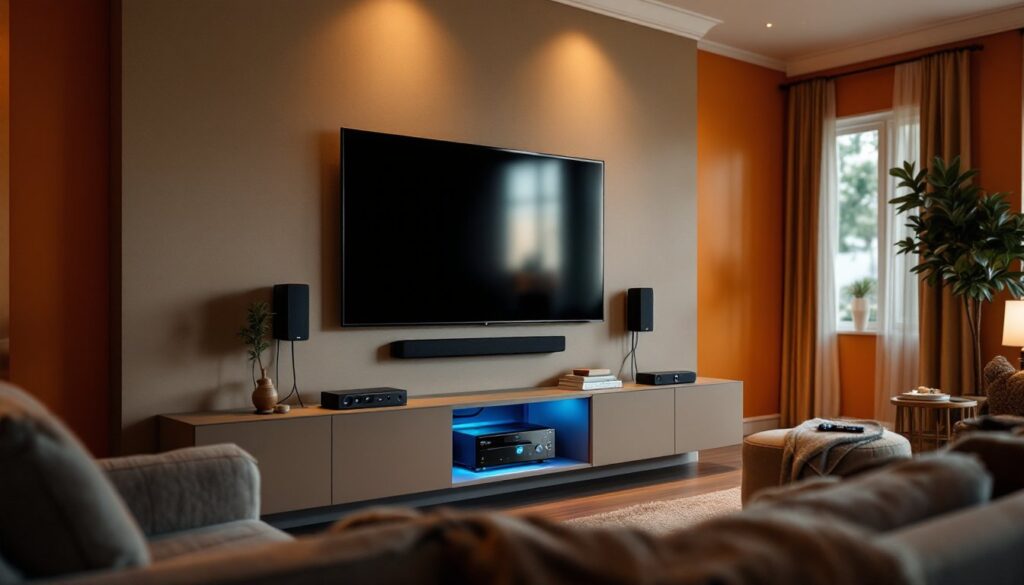
Receivers generate heat. Place yours in a cabinet with ventilation (open back, or fans) and at least 4 inches of clearance on all sides. Don’t stack other equipment directly on top. Overheating shortens component lifespan.
Wiring & Calibration:
- Run all speaker wires to the receiver before connecting power. Audio cables (RCA, HDMI) are shielded and should be routed separately from power cables to avoid hum.
- Connect one HDMI cable from your primary video source (cable box, streaming device) to the receiver’s HDMI input, then one HDMI from the receiver’s output to your TV.
- Power on, run the auto-calibration mic setup that came with your receiver, and follow the on-screen prompts. This typically takes 10–15 minutes and does most of the heavy lifting for you.
- Fine-tune manually via the receiver’s menu: check surround speaker levels, adjust subwoofer volume, and test with a known source (streaming movie or Blu-ray).
Safety & Permits:
For in-wall speaker wire runs and HDMI cables, no permit is needed in most jurisdictions. But, if you’re adding dedicated electrical outlets for the receiver setup, that’s a job for a licensed electrician, don’t DIY electrical wiring if you’re unsure.
Common Mistakes to Avoid:
- Leaving speaker wires bare at connection points (use proper binding posts or banana plugs).
- Undersizing subwoofer or not giving it enough space to breathe (placement matters as much as the unit itself).
- Skipping the calibration mic and assuming manual settings will be perfect (they won’t).
- Running power cables and audio cables in the same conduit (causes interference and hum).
Conclusion
Choosing and installing a Sony home theater system rewards planning and honesty about your space and needs. Start by matching the product line, soundbar, all-in-one, or modular, to your room size and listening priorities. Measure your space, understand key specs, and place speakers thoughtfully. DIY installation is absolutely doable for most homeowners: take time with cable routing and calibration, and don’t skip the auto-setup features your receiver provides. The result is a reliable, immersive entertainment setup that’ll serve you for years.