Table of Contents
ToggleBuilding a home theater doesn’t stop at the screen and speakers. The right accessories make the difference between a basic viewing setup and an immersive cinema experience. From ambient lighting that sets the mood to cable management that keeps your wiring invisible, home theater accessories handle the details that elevate your space. This guide covers the practical add-ons that matter, the ones that solve real problems, improve comfort, and enhance both picture and sound quality without requiring a professional installation or breaking the budget.
Key Takeaways
- Home theater accessories like ambient lighting, acoustic panels, and speaker stands transform a basic setup into an immersive cinema experience without requiring professional installation.
- Bias lighting with warm white LED strips (2700K–3000K) behind your display reduces eye strain and improves perceived contrast during long viewing sessions.
- Subwoofer isolation pads, acoustic panels, and proper speaker placement at ear level eliminate sound reflections and dead spots for cleaner audio.
- Theater seating comfort directly impacts whether you’ll use the space, so prioritize quality recliners, sectionals with headrest support, or practical additions like throw pillows and armrest organizers.
- Cable raceways and labeled management solutions keep your setup clean and organized, making future troubleshooting and adjustments significantly easier.
- Protect your TV investment with proper wall mounts matching your VESA pattern, vibration-dampening stands, and dust covers when the room sits idle.
Essential Lighting and Ambiance Accessories
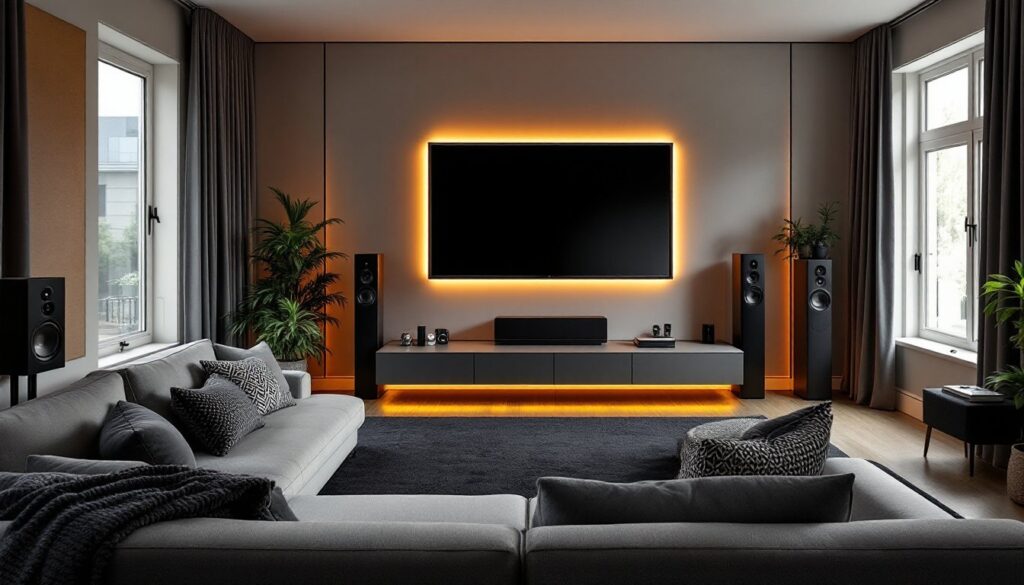
Good lighting design in a home theater does two jobs: it eliminates glare on your screen and creates an atmosphere that keeps you immersed. Ambient lighting strips placed along the back wall or baseboards are your first move. These LED accent lights diffuse light behind the screen or along the edges of the room, reducing eye strain without washing out your image.
Choose lights with dimmable controls, ideally with remote access so you’re not fumbling for a switch in the dark. Look for color-tuning options (adjustable white temperature) or even RGB strips if you want to match the mood to your content. Bias lighting is particularly useful: a 2700K to 3000K warm white LED strip behind your display dramatically reduces the perceived contrast between the bright screen and dark room, letting your eyes relax during long viewing sessions.
Motion-sensor lights or programmable smart lighting (controllable via smartphone or voice) let you set scenes, full dimming for movies, subtle accent lighting for gaming, bright illumination for cleaning. Keep overhead lights off-center or use recessed fixtures angled away from your screen. Avoid direct backlighting behind your seating: it casts shadows and distracts viewers.
Audio Enhancement and Speaker Accessories
Your speakers sit in the room, and the room shapes how sound bounces. Acoustic panels hung at ear level on side walls, especially near listening seats, absorb mid-range reflections that muddy dialogue and vocals. These panels don’t need to be expensive or fancy, a 2-inch-thick fiberglass or mineral-wool core wrapped in acoustically transparent fabric runs $30–$60 per panel and works nearly as well as branded versions costing three times that.
Subwoofer placement matters enormously. If your subwoofer sits in a corner, bass can boom: if it’s out in the room, you might have dead spots. A subwoofer isolation pad decouples the cabinet from the floor, reducing vibration transfer to joists and walls (which can rattle cabinet doors and windows). A pad also lets you experiment with placement without damaging flooring.
Speaker stands keep wall-mounted or bookshelf speakers at the right height and angle. At-ear mounting is the target for front left, center, and right channels, typically 24–36 inches from floor to tweeter. Stands prevent sound from bouncing off side tables and ensure consistent levels across your listening area. Best AV receivers tested and rated by home theater experts will highlight receiver options, but your speaker setup dictates whether you need a high-end unit or a mid-range model with good room correction.
Seating and Comfort Solutions
A theater room lives or dies by its seating. Comfort during a 2-hour movie directly affects whether you’ll actually use the space. Theater-specific recliners with motorized footrests, built-in cup holders, and lumbar support are the top-end choice, but a quality sectional with firm cushioning and headrest support works nearly as well if space is tight.
Additions like throw pillows with memory foam cores, blankets, and armrest organizers (which hold remotes, glasses, and snacks) solve practical problems without major expense. A well-designed seat riser or step, especially if your screen is mounted high, improves sightlines for back-row viewers and prevents neck strain.
Floor mats or area rugs under seating improve acoustics and comfort. A low-pile rug (3/8-inch nap or less) dampens reflections without creating a tripping hazard in a dark room. Choose dark colors so they disappear visually and won’t reflect light back toward the screen.
Cable Management and Organization
Visible cables ruin the clean look of a cinema space. A proper home theater runs anywhere from 5 to 15 cables between the TV, receiver, speakers, and source devices, power cords, HDMI lines, speaker wire, and coax all competing for space behind your screen.
Cable raceways (plastic conduit that clips to walls or runs behind furniture) bundle wires into a single, hidden path. Measure your run before buying: a typical 5-foot horizontal raceway runs $15–$25, while longer runs or angled corners require splitters. Label each cable at both ends with a permanent marker or printed label before installation, future troubleshooting is infinitely easier.
Cable clips and adhesive-backed velcro straps ($5–$10 for a pack) keep power cords neatly secured along baseboards. A power conditioner or surge-protected power strip mounted behind the TV protects equipment and centralizes plugs: choose one with remote on/off and USB ports if you need to charge devices. Smart home technology news, frequently cover power management solutions that work well in media rooms.
Display and Screen Protection
Your TV is an expensive investment. Vibration-dampening stands or wall-mount arms designed specifically for your screen size and weight prevent wobbling and reduce stress on mounting points. Check your TV’s VESA pattern (the four-hole spacing on the back) and verify that your mount accommodates that pattern, a VESA 200×200 mount won’t work with a VESA 400×400 TV.
Anti-glare screen protectors or matte finishes (matte screen paint applied to the bezel) reduce reflections from windows or lights. If your room has a bright window, even accent lighting can wash out a glossy screen. A motorized projector screen with a roller or manual pull-down lets you hide the screen when not in use, keeping the room flexible for other purposes.
Dust covers protect your TV and equipment when the room sits idle. Store remote controls and gaming controllers upright in a wall-mounted charging station so they’re visible, charged, and not buried under couch cushions. DIY decor tutorials and creative home accessories often cover simple protective and organizational builds if you want to craft custom storage.
Conclusion
Accessories aren’t afterthoughts in a home theater, they’re the layer that makes the space functional and immersive. Start with lighting to set mood and reduce eye strain, invest in acoustic improvements for cleaner audio, prioritize comfort in seating, hide cables cleanly, and protect your display. None of these upgrades requires advanced skills or a contractor’s budget. Build your accessories list around the weak points in your current setup, and you’ll see immediate improvements in both picture quality and viewing enjoyment.