Table of Contents
ToggleA home theater receiver is the nerve center of any serious audio-video setup, acting as the command hub that processes video signals, amplifies sound, and controls everything from your streaming device to your speakers. Whether you’re building a home theater from scratch or upgrading an aging receiver, understanding what to look for makes the difference between a mediocre experience and one that actually justifies the investment. This guide walks you through the key specs, features, and practical considerations that matter when choosing the right receiver for your space and budget.
Key Takeaways
- A home theater receiver combines video processing, audio amplification, and control functions, eliminating the need for separate components while handling critical features like Dolby Atmos decoding and room calibration.
- Real-world power output of 50–100W per channel at 8 ohms matters more than manufacturer specifications; match it to your room size—small rooms need 40–60W, medium rooms 70–100W, and large spaces 100W+.
- Home theater receivers require proper ventilation, separated HDMI and power cables, microphone-based auto-calibration, and correct speaker placement at ear level to deliver optimal surround sound performance.
- Mid-range home theater receivers ($600–$1,500) offer the best value for most homeowners with 7.1 channels, Atmos support, and robust room correction features that work reliably for 7–10 years.
- HDMI 2.1 connectivity future-proofs your setup for PS5, Xbox Series X, and 4K content, while dual-band wifi and smartphone app control add convenience to your home theater experience.
- Auto-calibration tools included in modern receivers optimize timing and audio levels for your specific room, saving hours of manual adjustment and delivering 90% of optimal performance automatically.
What Is A Home Theater Receiver And Why You Need One
A home theater receiver combines three core functions in one chassis: a video processor, an audio amplifier, and a control hub. It takes incoming signals from Blu-ray players, streaming devices, cable boxes, and gaming consoles, switches between them, processes surround sound decoding, and sends amplified audio to your speakers while passing video to your display.
You technically don’t need a receiver if you’re running a simple stereo setup with a TV and one sound source. But the moment you want surround sound, multiple inputs, or to avoid a tangle of cables, a receiver becomes essential. It eliminates the need for a separate amplifier, processor, and switching matrix, saving both money and real estate behind your TV stand.
Receivers also handle critical processing like Dolby Atmos decoding, which adds height channels for immersive three-dimensional sound, and calibration features that automatically optimize audio levels and timing for your room. Without a receiver, you’d need to buy each of these components separately and manually integrate them, far messier and costlier than a single integrated unit.
Key Features To Look For When Choosing A Receiver
Not all receivers are created equal, and specs can feel overwhelming. Focus on the features that actually matter to your use case rather than chasing every checkbox.
Power Output And Channel Configuration
Power output is measured in watts per channel (W/ch), and it matters, but not as a single number. Manufactures list specs under specific conditions: typically 100W at 2 ohms, 20 Hz–20 kHz, with two channels driven. That’s more generous than real-world use: 50–100W per channel at 8 ohms (the standard speaker impedance) is honest, usable power for most living rooms.
Channel count tells you how many discrete audio channels the receiver can amplify. A 5.1-channel receiver means five full-range speakers (left, center, right, and two surrounds) plus a subwoofer. A 7.1 setup adds two additional rear surrounds. Atmos-capable receivers add height channels, pushing the spec to 5.1.2, 7.1.2, or higher, supporting overhead speakers or ceiling-bouncing Atmos speakers.
For a typical bedroom or living room, 5.1 or 7.1 delivers plenty of immersion. Atmos is nice if you’re serious about movie soundtracks, but it’s not mandatory. Be honest about your room: a small bedroom with 7.1 creates phase issues and muddy sound, while an open-concept living room can justify it.
Audio And Video Connectivity
Check how many HDMI inputs the receiver offers, modern receivers typically have 4–8. HDMI 2.1 support is important if you’re connecting a PS5, Xbox Series X, or 4K streaming device, as it handles high frame rates and bandwidth demands. Older HDMI 2.0 still works for most content, but 2.1 is future-proof.
Audio inputs matter less if you’re all-digital, but some gear (turntables, vintage components) needs RCA or optical inputs. Verify the receiver has audio-only optical or coaxial inputs if you plan to connect a soundbar, CD player, or older gaming console.
Wifi and Bluetooth are standard now. Look for dual-band wifi (2.4 GHz and 5 GHz) for reliable streaming and network control. Some receivers let you control volume and source via smartphone apps, which is genuinely useful when you can’t find the remote.
Matching A Receiver To Your Room Size And Budget
Room size and layout drive which receiver makes sense. A small bedroom (under 200 sq ft) typically needs 40–60W per channel and works fine with a 5.1 setup. A medium living room (200–400 sq ft) benefits from 70–100W and can handle 7.1 if furniture placement allows. Large open-concept spaces (over 400 sq ft) may need 100W+ and warrant Atmos to fill vertical space effectively.
Tested models available through home theater equipment reviews give you a sense of real-world performance. Don’t rely solely on spec sheets: see how actual owners describe them in review sections and forums.
Budget typically breaks into three tiers:
- Budget receivers ($300–$600): 5.1 channels, 50–70W per channel, solid video processing, fewer HDMI inputs (usually 4), limited calibration features. Good for casual viewers upgrading from TV speakers.
- Mid-range ($600–$1,500): 7.1 channels, 80–100W per channel, Atmos support, robust room correction, more HDMI inputs, preamp outputs for future expansion. The sweet spot for most DIYers.
- High-end ($1,500+): Full Atmos support, 100W+, extensive processing, premium build, often include XMC-based processors or multi-zone capabilities.
Don’t overspend on power if your room is small, it’s wasted money. Don’t underspend if you have an open floor plan or plan to add speakers later. Most people land in the mid-range and stay there for 7–10 years.
Installation And Setup Tips For Homeowners
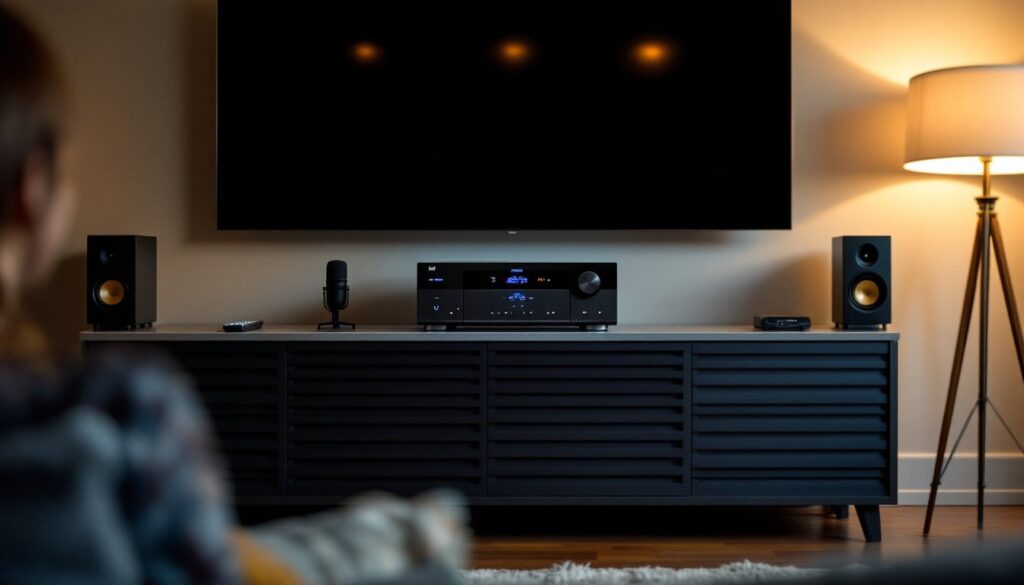
Installing a receiver is straightforward physically, it sits on a shelf or in a cabinet beneath your TV, but the wiring and calibration require attention.
Physical Placement:
Keep the receiver in a well-ventilated spot, as they generate heat during operation. Avoid stacking other equipment on top. Leave at least 2–3 inches of clearance on the sides and back for airflow and cable access. If you’re mounting it in an enclosed cabinet, consider adding a fan or leaving the door open during use to prevent thermal shutdown.
Cable Management:
Run HDMI cables separately from power cables to minimize interference, a basic rule many people skip. Use high-quality HDMI 2.1 cables if you bought an Atmos or 4K 120 Hz-capable receiver: cheap cables drop signals on newer hardware. Label your cables at both ends so you know what’s what. Take a photo of your connections before you finish, you’ll thank yourself when troubleshooting later.
Speaker Placement & Calibration:
Speaker placement matters more than receiver specs. Place surrounds at ear level, 1–2 feet above seated listening height, ideally at 90–110 degrees from the center listening position. The center channel should sit at ear level when seated, either above or below the TV.
Most modern receivers include a microphone-based calibration tool (Audyssey, MCACC, YPAO) that measures distances and levels automatically. Use it, it saves hours of manual tweaking. Place the microphone at ear level in your main listening position, run the calibration, and let the receiver adjust crossover frequencies, delays, and levels. Fine-tune afterward if needed, but the auto-calibration gets you 90% there.
Network Setup:
Connect your receiver to wifi during initial setup for firmware updates and streaming. Use the 5 GHz band if available, it’s faster and has less interference from microwaves and baby monitors. If streaming audio drops, move closer to your router or check for interference. Some people run an ethernet cable directly to the receiver if their router is nearby: it’s more stable than wifi for music streaming.
Before you panic about calibration, know that basic surround sound works fine without it. Auto-calibration just optimizes timing and levels for your room. Most first-time setup complaints come from weak bass (subwoofer placement or level too low), not the receiver itself.
Conclusion
Choosing a home theater receiver comes down to matching power, channels, and connectivity to your room size and viewing habits. Honest specs, practical placement, and proper calibration matter far more than chasing the fanciest model. Spend what fits your space, invest in good speakers, and don’t overlook the calibration step, that’s where the magic happens. Start with a mid-range 7.1 receiver if you’re unsure: most homeowners find it strikes the right balance between capability and cost for years of reliable enjoyment.